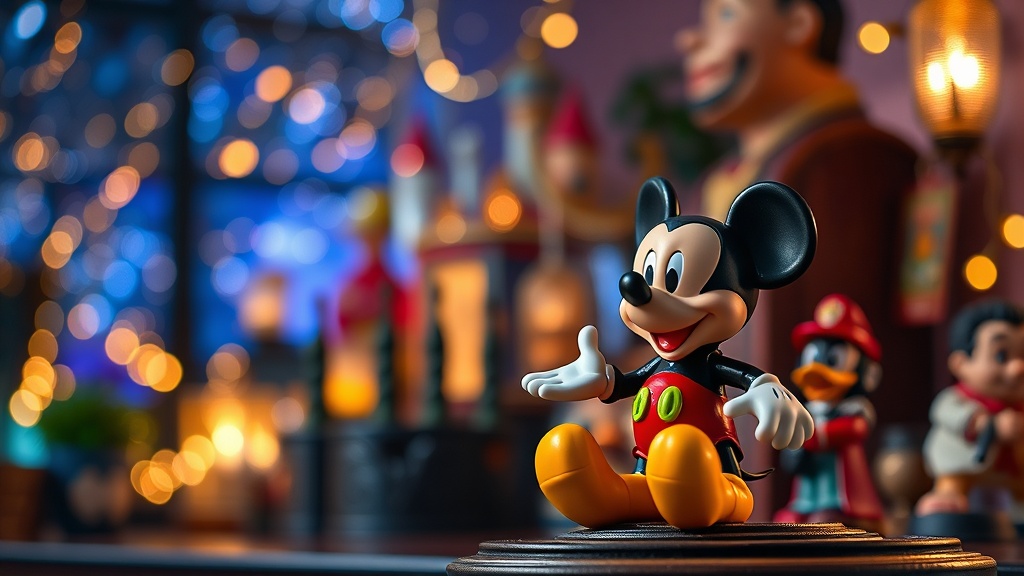
How to Photograph Your Disney Collectibles Like a Professional

Did you know that Disney collectibles listed with professional-quality photographs sell for an average of 34% more than those with amateur snapshots? In the competitive world of figure trading, your camera work isn't just documentation — it's a direct investment return tool. Whether you're preparing to sell a rare Limited Edition Elsa or documenting your collection for insurance purposes, the difference between a $50 sale and a $150 sale often comes down to how well you've captured the paint details, box condition, and sculpt accuracy that serious buyers scrutinize.
Photography for collectibles isn't about artistic expression — it's about honest representation that builds buyer confidence. Poor lighting hides flaws you'll get blamed for later. Blurry focus makes authentic pieces look suspicious. And cluttered backgrounds distract from the very details that justify premium pricing. You don't need a $3,000 camera setup to achieve results that rival professional auction houses. Most modern smartphones — when paired with the right techniques — can produce images that satisfy even the pickiest collectors in the Disney figure community.
What Camera Equipment Do You Actually Need?
Let's start with the gear question everyone asks. Do you need a DSLR? A mirrorless body with interchangeable lenses? For 90% of Disney collectible photography, the answer is no — your smartphone is enough. The iPhone 14 Pro, Samsung Galaxy S23 Ultra, and Google Pixel 8 Pro all feature macro capabilities that capture paint application details, manufacturer stamps, and box edge wear with remarkable clarity. What matters more than the camera body is stability, lighting control, and understanding your device's manual settings.
If you're shooting with a phone, invest in a $15 tripod with a phone mount. Camera shake is the enemy of sharp detail — and sharp detail is what proves authenticity. A wireless remote shutter (or your phone's timer function) eliminates the micro-movements that occur when tapping the screen. For dedicated collectors who photograph frequently, a $30 clip-on macro lens adds magnification that reveals factory markings and sculpt textures invisible to standard phone cameras.
DSLR users should prioritize a 50mm prime lens (often called the "nifty fifty") for its sharpness and natural perspective that doesn't distort figure proportions. Set your aperture between f/8 and f/11 for maximum depth of field — you want the nose and tail of a Lion King figure equally sharp, not just one plane in focus. A proper tripod remains non-negotiable regardless of your camera choice. The equipment guides at DPReview offer detailed breakdowns of budget-friendly setups that work specifically for small collectible documentation.
How Do You Set Up Lighting That Shows Every Detail?
Lighting makes or breaks collectible photography. Harsh overhead room lighting creates blown-out highlights and shadows that obscure paint flaws — exactly what you don't want when documenting condition. The goal is soft, diffused light from multiple angles that wraps around your figure and reveals surface texture without glare.
The cheapest effective setup uses two desk lamps with daylight-balanced LED bulbs (5000K-5500K color temperature) positioned at 45-degree angles to your subject. Place white printer paper or a thin white bedsheet in front of each lamp to diffuse the light — this creates that soft, shadowless look you see in professional product shots. Avoid mixed lighting sources; that warm incandescent bulb in your ceiling will cast orange tones that fight with your daylight-balanced lamps, creating color casts that make figures look wrong.
For reflective surfaces — think glossy Vinylmation figures or metallic paint applications on limited editions — you'll need a polarizing solution. A polarizing filter on your camera (or polarized sunglasses held in front of your phone lens) cuts through reflections that hide surface details. Shoot near a large window on an overcast day for beautiful, free diffused light — but never direct sunlight, which creates harsh shadows and can actually fade certain figure materials during extended shooting sessions. The B&H Photo lighting tutorials provide excellent diagrams for two and three-light setups specifically designed for small collectibles under 12 inches.
Which Angles Reveal the True Condition of a Figure?
Serious buyers want to see specific angles — and omitting any of them raises red flags. Start with a straight-on front view that captures the figure's face, expression accuracy, and any frontal paint applications. Shoot at eye level with the figure, not looking down at it; downward angles distort proportions and make figures look squat and cheap.
The three-quarter view — positioned slightly above and to one side — shows depth, sculpt detail, and paint transitions that flat angles miss. This is your hero shot, the one that belongs first in any listing or insurance documentation. Follow with a direct profile shot that reveals silhouette accuracy and any side-specific details (manufacturer stamps, edition numbers, or copyright markings often appear here).
Never skip the bottom view. Serious Disney collectors know that authentic figures have specific manufacturer markings, country of origin stamps, and sometimes date codes on the base. A clear photograph of the underside proves authenticity in ways that frontal glamour shots cannot. For boxed figures, photograph all six sides of the packaging — yes, including the bottom and top. Box condition dramatically affects value, and hiding damage in your photos will result in returns, disputes, and damaged reputation in collector communities.
Shoot every flaw explicitly. That paint rub on the ear, the slight yellowing on white plastic, the tiny corner crease on the box — document them all with dedicated close-up shots. Buyers appreciate honesty, and detailed flaw photography actually increases trust (and sale prices) compared to vague "minor wear" descriptions. Include a common object — a quarter, a ruler, or a LEGO brick — in one shot for scale reference; Disney figure sizes vary dramatically between lines, and buyers need to know exactly what they're getting.
How Should You Stage Backgrounds for Different Figure Types?
Background choice sends subtle signals about your figure's value and your credibility as a seller. The wrong backdrop can make a $200 limited edition look like a thrift store find, while the right staging elevates common figures to premium presentation.
For most Disney collectibles, a clean white or neutral gray background works best. You can achieve this with poster board from any dollar store — curve it gently to create a "sweep" that eliminates horizon lines and shadows. White backgrounds work particularly well for dark-colored figures (villains, Star Wars characters) while light-colored figures (Elsa, Olaf, most princesses) pop against medium gray or even black backgrounds.
Avoid busy patterns, cluttered shelves, or household objects in frame. That cereal box in the corner or the electrical outlet on the wall screams "amateur" and distracts from the figure itself. Some collectors prefer contextual backgrounds — a subtle Disney-themed scrapbook paper, a velvet display cloth, or a wooden surface for vintage pieces. This can work if executed carefully, but never let the background compete with the figure for attention. The eye should go immediately to the collectible, not to your interesting tablecloth.
For high-end figures ($200+), consider investing in a small lightbox — collapsible versions cost under $30 and provide clean, shadow-free backgrounds with built-in diffusion. These pay for themselves quickly when you consider the price premium that professional presentation commands. The product photography guides at PhotographyTalk offer specific color recommendations based on product categories that translate well to different Disney figure lines.
What Editing Adjustments Make Figures Pop Without Deception?
Post-processing is where good photos become great — but it's also where honest documentation becomes deceptive misrepresentation. Your goal is accurate correction, not digital enhancement that hides flaws or misrepresents colors.
Start with white balance adjustment. If your photos look too yellow or too blue, use your editing app's white balance eyedropper on a neutral gray area of your image — this corrects color temperature instantly. Slight exposure adjustment is fine; brighten images that are slightly underexposed, but never blow out highlights to hide surface imperfections. The histogram tool in most editing apps helps here — keep the graph distributed across the full range without clipping at either end.
Sharpening should be minimal and applied selectively. Global sharpening increases noise and can create halos around figure edges that look artificial. Most phone photos benefit from +10 to +20 sharpening in apps like Lightroom Mobile or Snapseed. Contrast adjustments should be conservative — you're documenting a product, not creating art for Instagram.
What you must never do: smooth out scratches in editing software, alter colors to make figures look mint when they're faded, or clone out damage. This constitutes fraud in collectible sales and can result in platform bans, payment disputes, and legal issues. Document accurately, price accordingly, and let the figure's condition speak for itself. Buyers in the Disney collecting community have long memories, and your reputation follows you across platforms, forums, and conventions.
The best editing workflow takes five minutes per photo: correct white balance, adjust exposure if necessary, apply light sharpening, export at high resolution (minimum 1200 pixels on the longest side), and upload. Speed matters when you're documenting large collections, and these fundamentals deliver professional results without consuming your entire weekend.
Your photography skills directly translate to collection value — not just through higher sale prices, but through better insurance documentation, easier trades, and the personal satisfaction of seeing your carefully curated Disney figures presented at their absolute best. Start with your next acquisition: set up that tripod, position those lamps, and capture the details that make your collection uniquely valuable.